From order to invoice and collection, one connected workflow
SAS Business brings sales, purchasing, items, inventory, receipts, payments and operational reporting into one connected experience across the web and Android, with full Arabic and English support.
Web and AndroidArabic and EnglishRoles and approvalsMultiple currenciesSales, inventory and collection
Designed for owners, accountants, sales teams and inventory teams that need clearer processes and more organised information.
Connected workflow
One team. One clear transaction flow.
The salesperson creates the order, the manager reviews what needs approval, fulfillment prepares and ships it, and invoicing and collection follow within the same organised workflow.
01
Sales representative
02
Manager
03
Fulfillment
04
Accountant
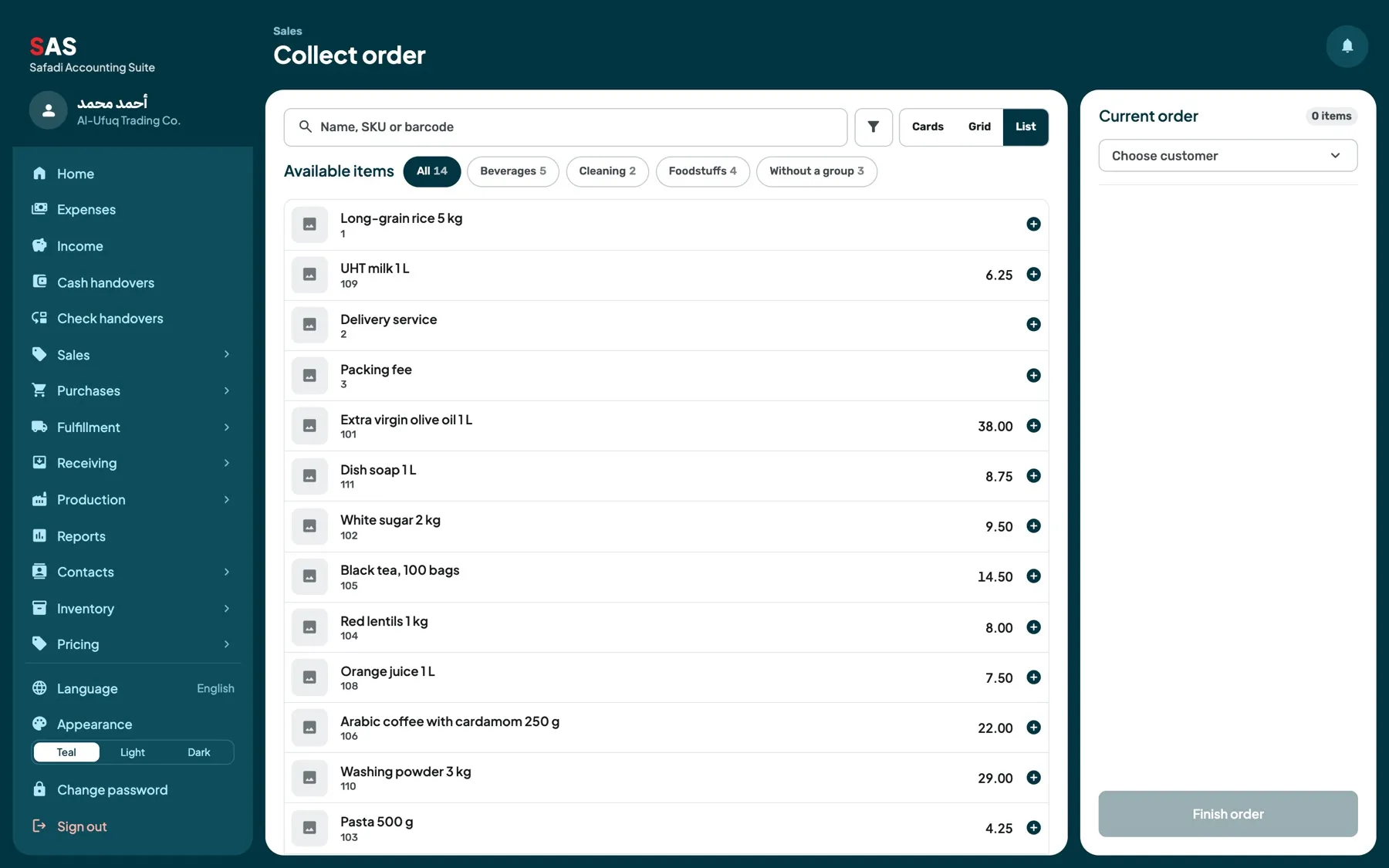
Order entry
Build an order from one screen
Search by item name, code or barcode, review images, prices, units and groups, add the required quantities and complete the order without moving between disconnected screens.
Quick search by name, code or barcode
Clear item images and groups
Adjust quantity and price by permission
Order total shown immediately
Suitable for web and mobile
SAS Business
Sales workflow
From order to invoice without losing the thread
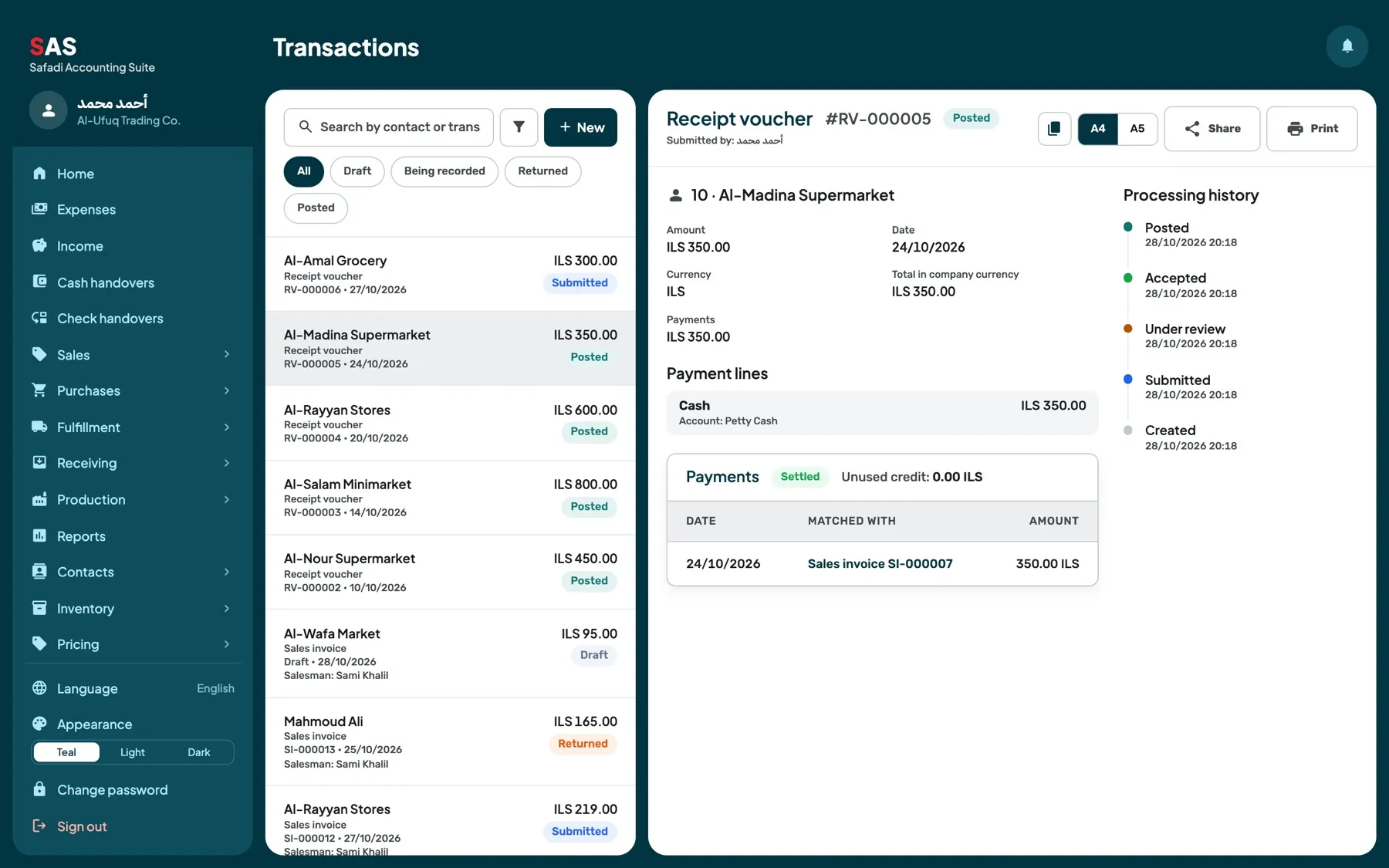
Follow the transaction through order entry, approval, fulfillment, shipment, sales invoicing and collection without manually recreating the same information.
1
Order entry
Search by item name, code or barcode, review images, prices, units and groups, add the required quantities and complete the order without moving between disconnected screens.
2
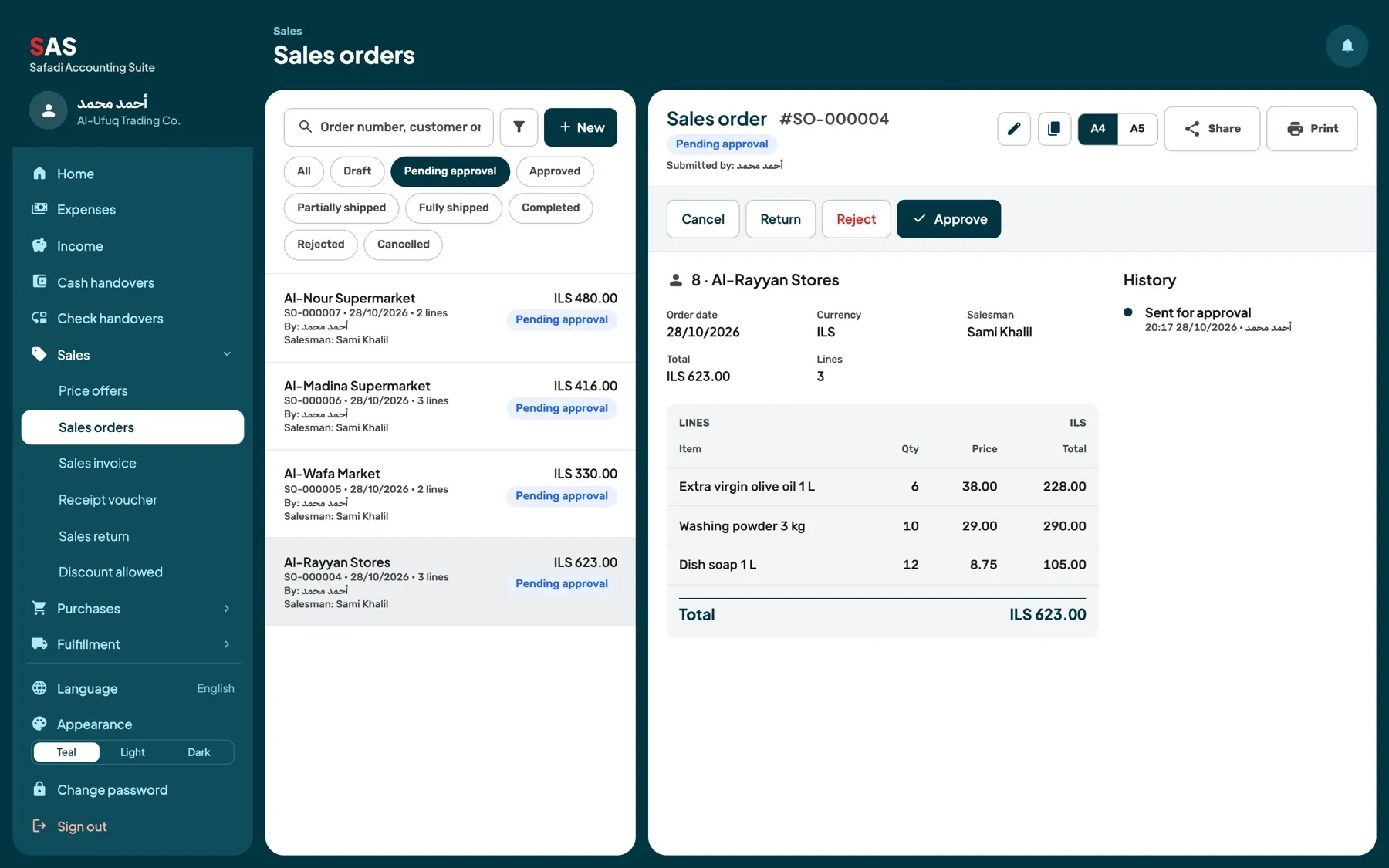
Approval
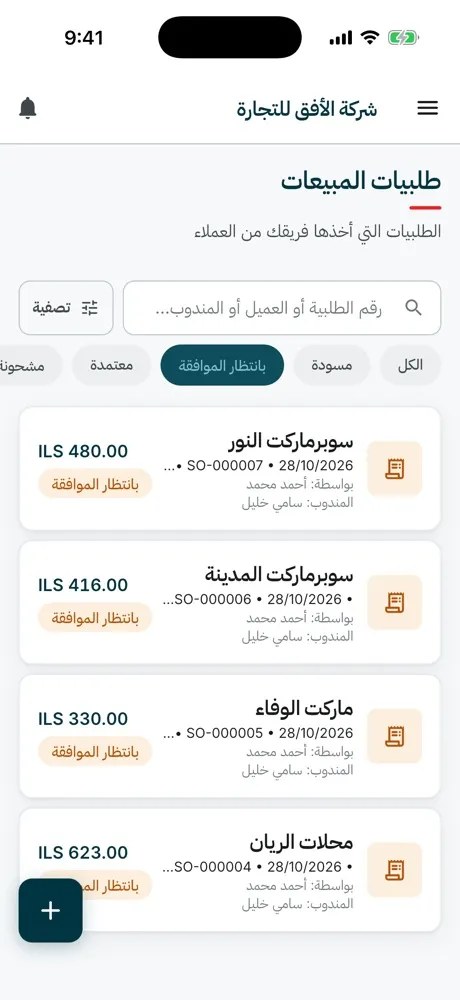
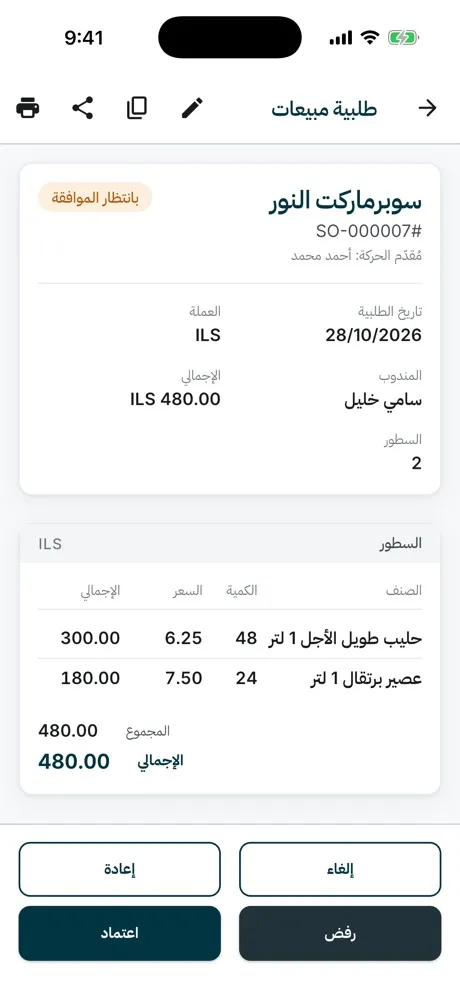
The manager reviews what needs approval.
3
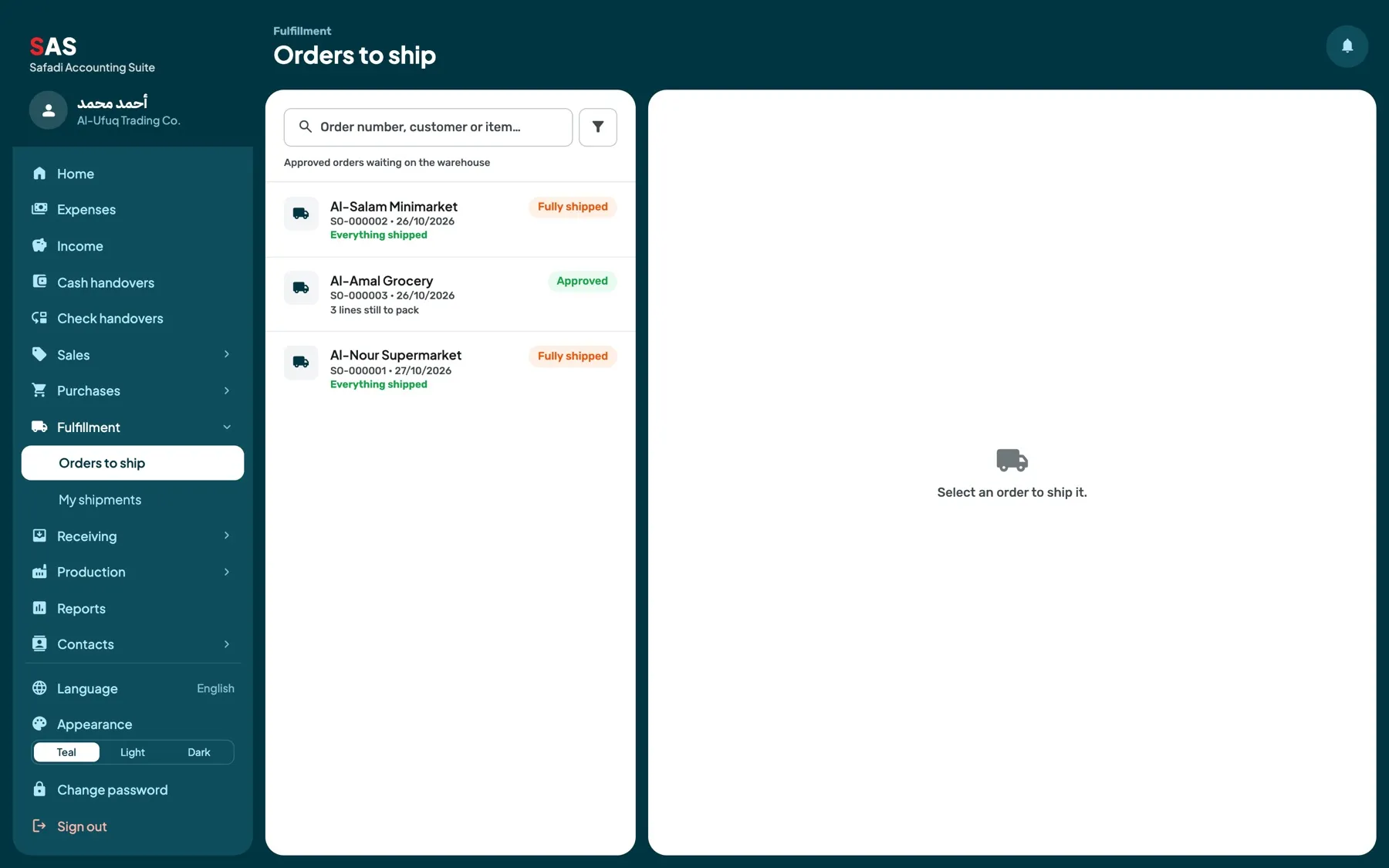
Fulfillment and shipment
Fulfillment prepares and ships it.
4
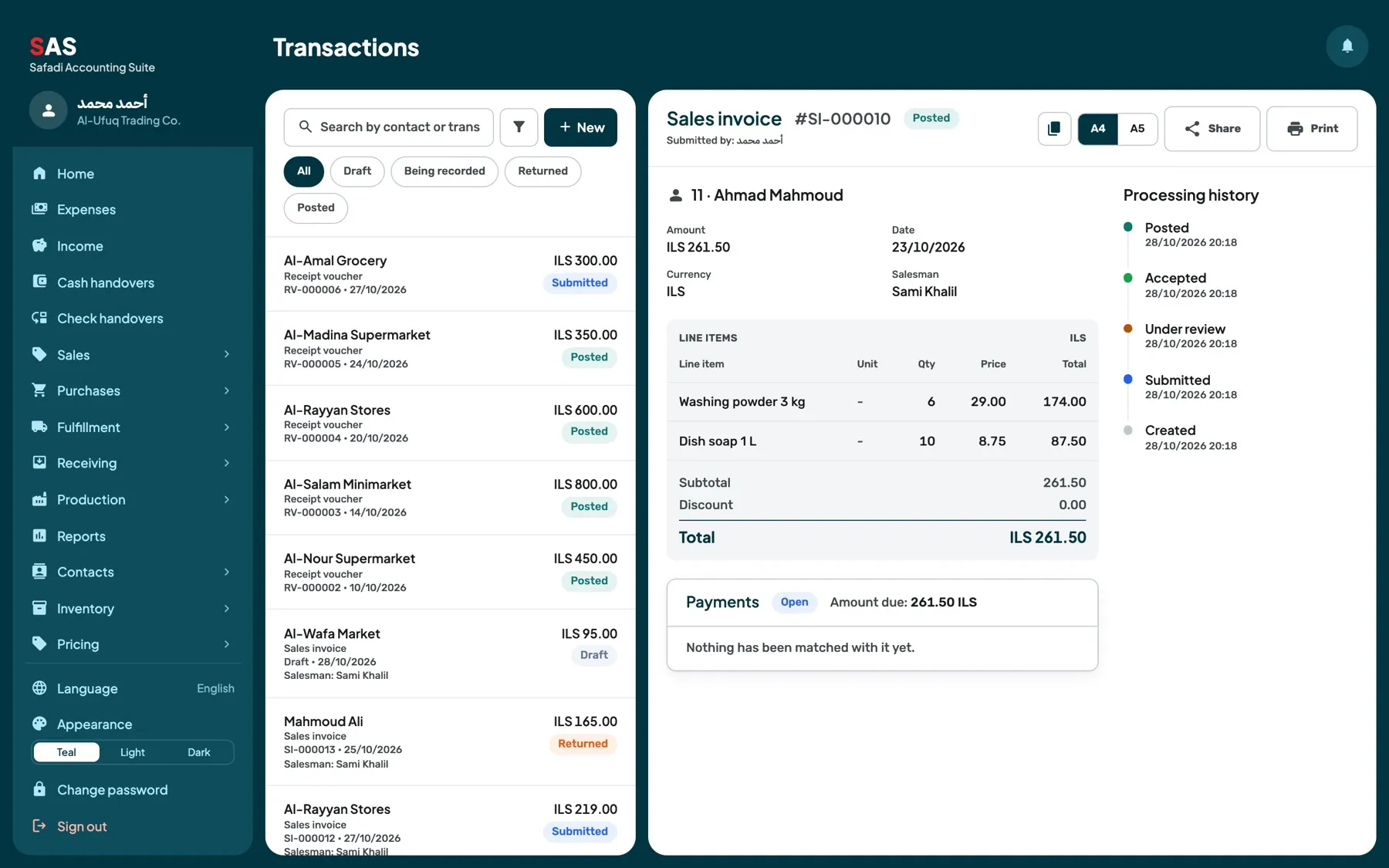
Sales invoice
Invoicing follows within the same organised workflow.
5
Receipt
Collection follows within the same organised workflow.
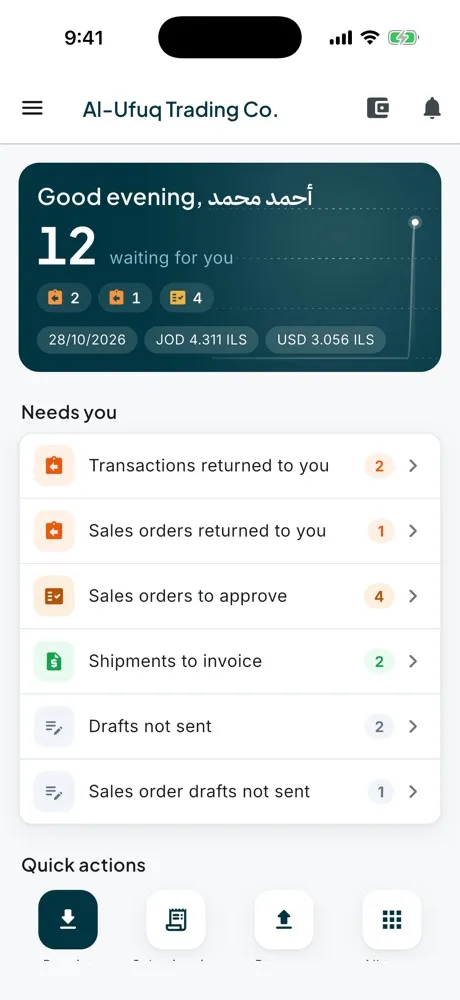
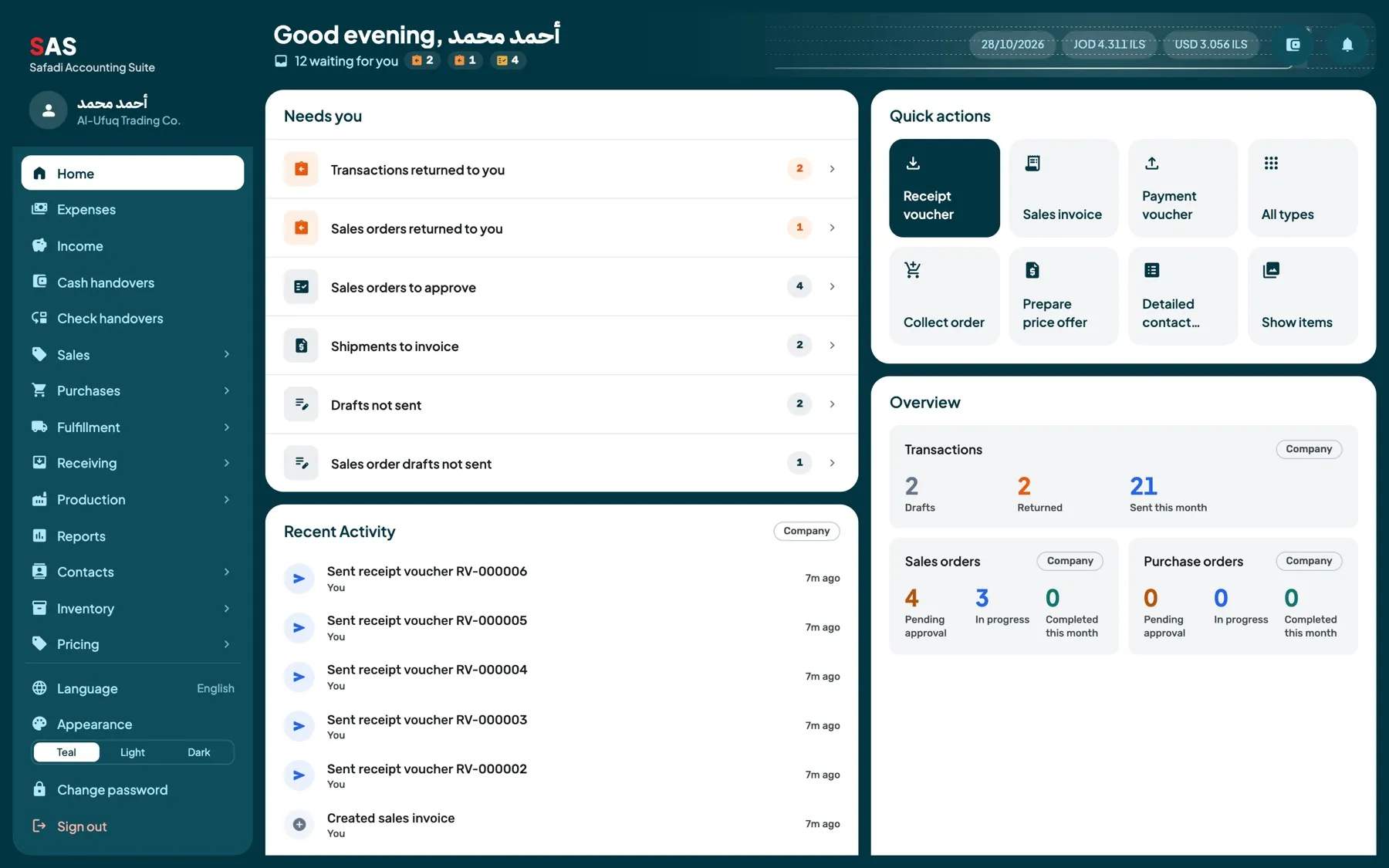
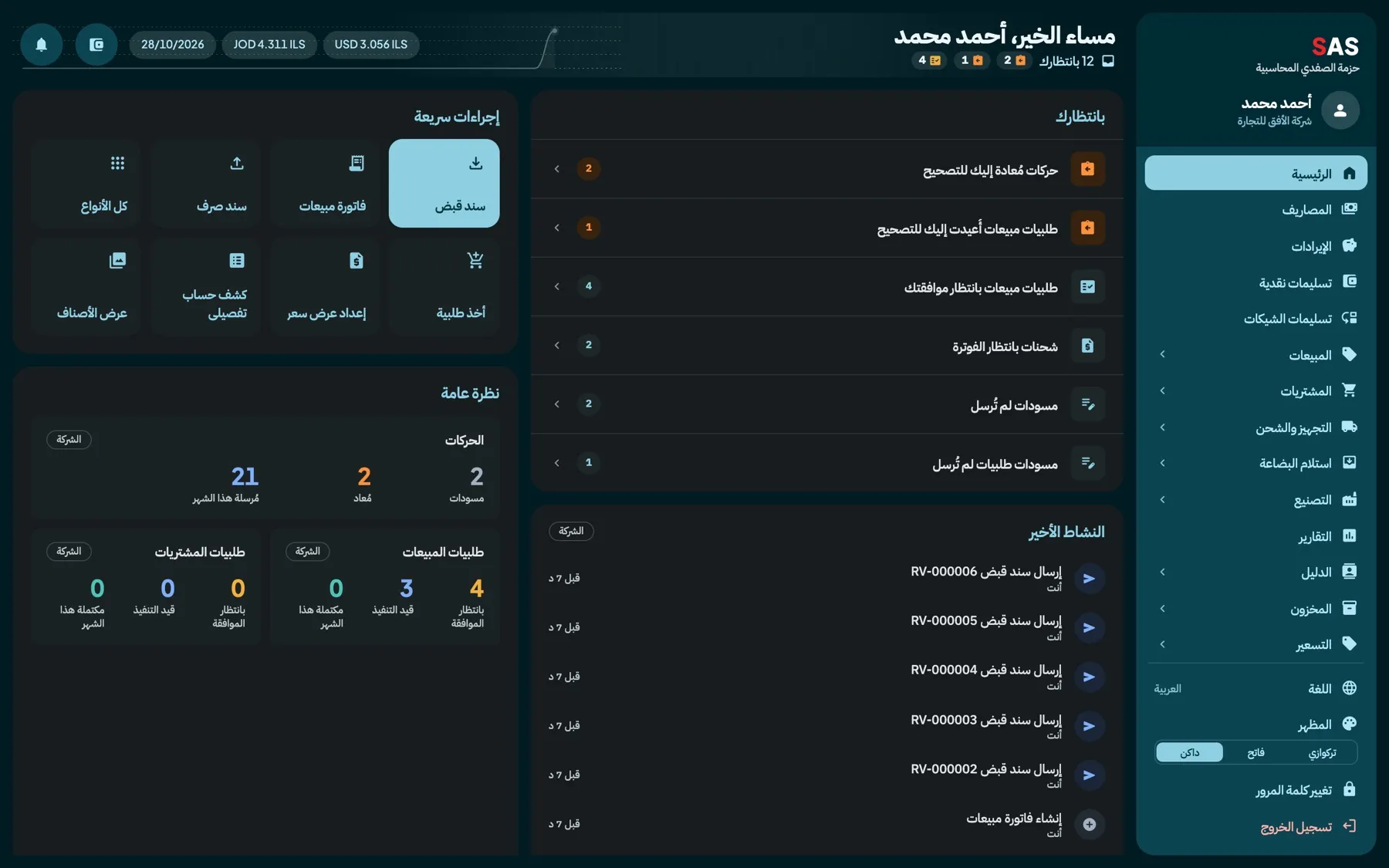
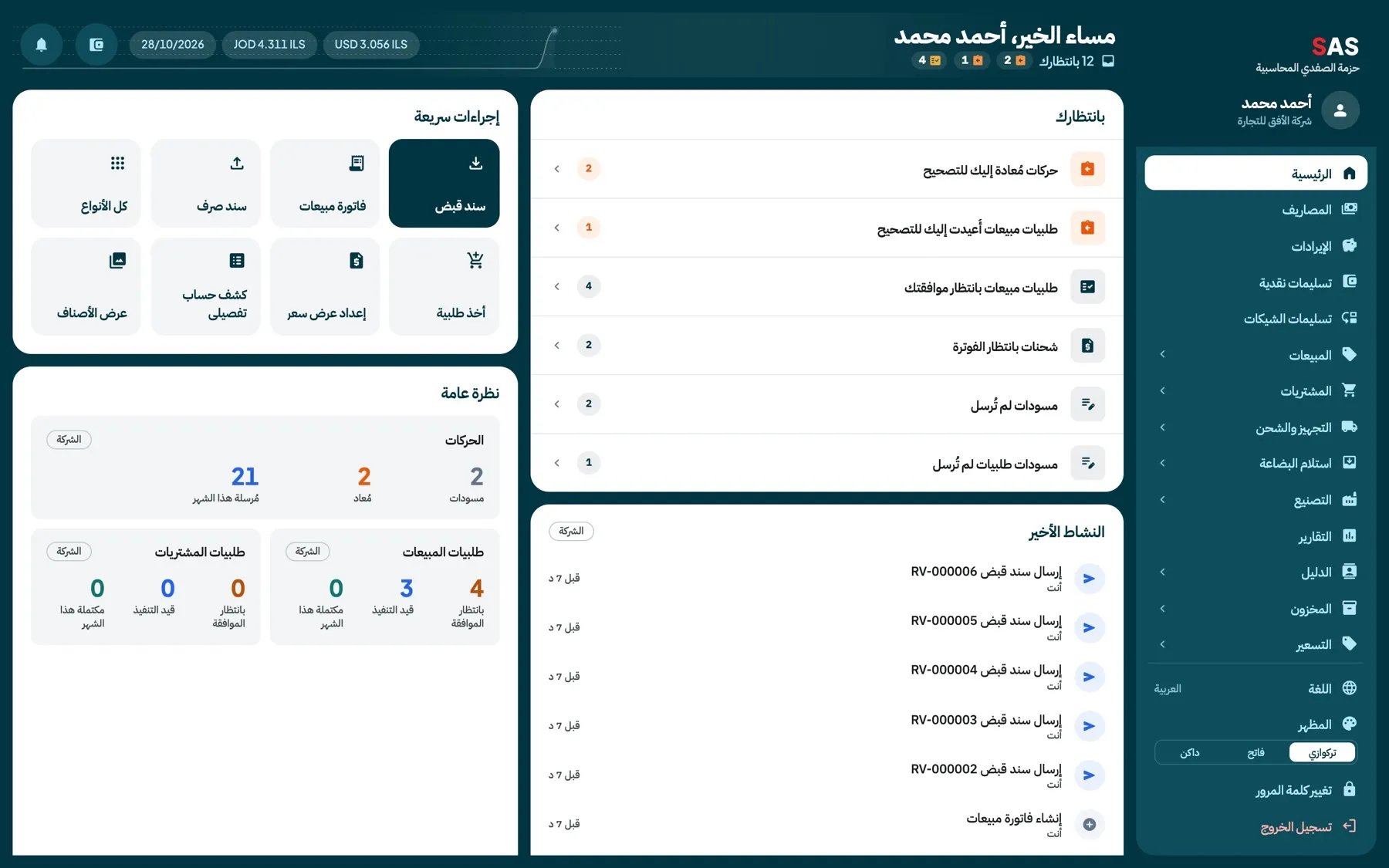
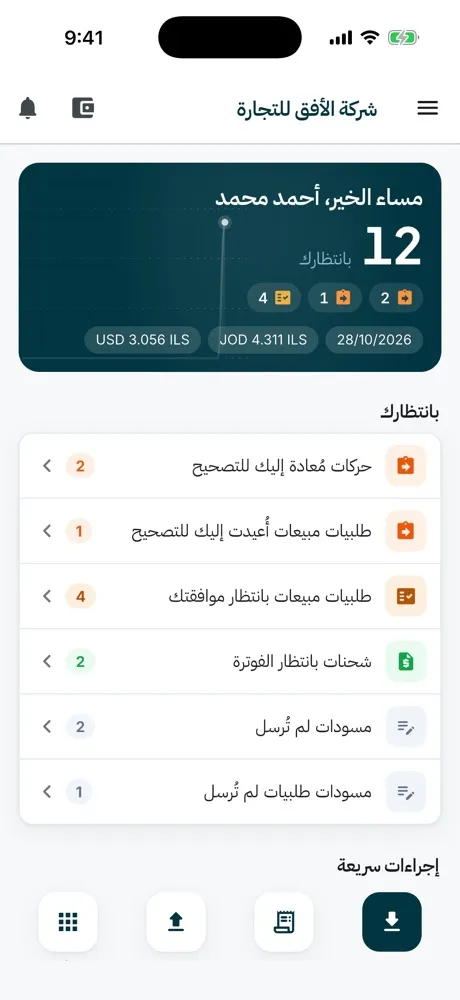
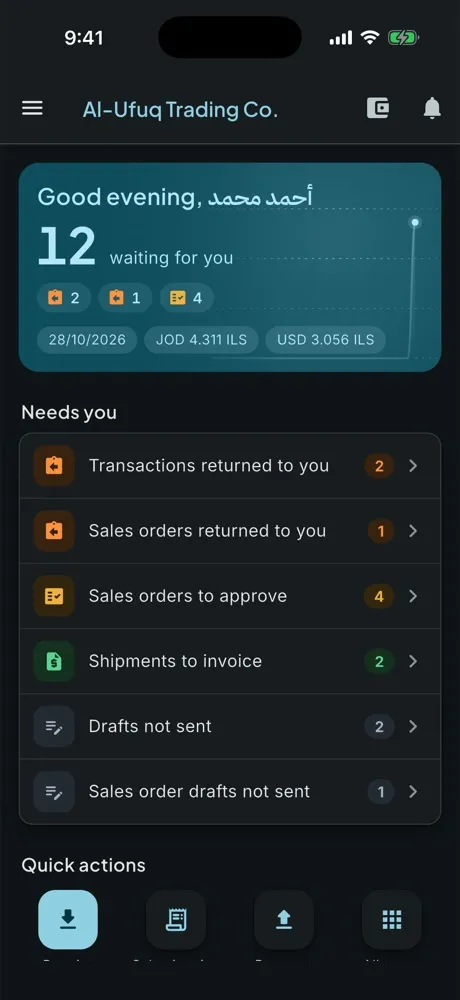
The dashboard highlights transactions returned for correction, sales orders awaiting approval, shipments awaiting invoicing, unsent drafts and recent activity.
Review the information needed for day-to-day management through clear reports that can be viewed on screen or printed for a selected period.
Account statement
Detailed account statement
Account balances
Receivables ageing
Payables ageing
Item card
Interfaces shown with demonstration data.
Android app
Your business stays with you
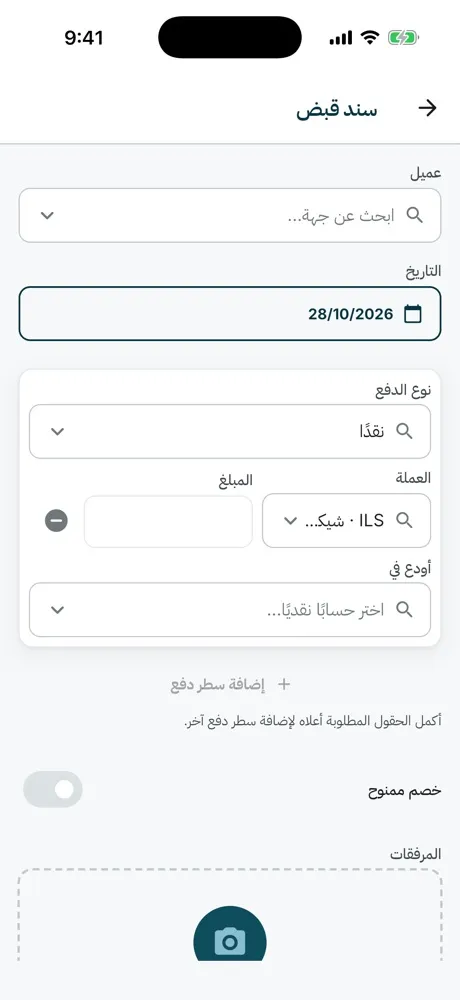
Use SAS Business on mobile to create orders, receipts, payments and sales invoices, view items and account statements, review reports and follow the work awaiting your approval.
Arabic and English interfaceLight and dark modeQuick actions by role
SAS Business is developed with oversight from Safadi Certified Public Accountants, helping ensure that workflows, documents and reports reflect practical accounting and review needs, not data entry alone.
SAS Business helps organise operational and accounting data. It is not a substitute for professional accounting services, independent audit or tax and professional advice when needed.
Getting started
From process review to go-live
1
Understand the workflow
We review how sales, purchasing and collection are carried out and clarify user responsibilities.
2
Configure the system and roles
We set up items, customers, suppliers, users and roles according to the agreed scope.
3
Prepare and migrate data
We review existing data and identify what can be cleaned, organised and imported.
4
Training and go-live
We train users, test the agreed workflow and then move to live operation and follow-up.
SAS Business is a platform that helps businesses organise sales, purchasing, receipts, payments, items and inventory movement in one connected environment.
Who is it designed for?
It is designed for businesses that need a more organised way to manage daily operations and collaboration between owners, accountants and staff. Suitability is assessed based on the nature of the business and its actual requirements.
Does it work on the web and Android?
Yes. SAS Business is designed for use on the web and Android. Access method and available version are clarified during the setup process.
Does it support Arabic and English?
Yes. The interface is fully available in both Arabic and English, with right-to-left support for Arabic.
Can users have different roles and permissions?
Yes. User roles and permissions are configured during setup to match the responsibilities of each team member.
Can our existing data be migrated?
Existing data is reviewed first to determine what can be prepared, organised and imported. The scope is agreed before migration begins.
What do setup and training include?
Setup covers understanding your workflow, configuring the system and data, and training users before go-live.
Does the system replace an accountant or auditor?
No. SAS Business helps organise operations and records. Professional accounting, audit and tax services remain the responsibility of a qualified accountant or adviser.
What support is available after go-live?
Post-launch support is discussed during the setup process. Contact SCPA to learn about available options.
Request a demo
See how SAS Business could fit your operation
Tell us about your business and the processes you want to organise, and we will arrange a walkthrough focused on the workflow relevant to you.